Ref the match.
Not the screen.
Center Ref is a watch-first match clock built for soccer referees. AYSO presets U6–U19, haptic period transitions, stoppage with auto-armed added time, complications on the watch face, plus a full iPhone-only mode. Local — no network needed during a match.
or email hello@centerref.com
The whistle in your pocket has a screen now.
One glance. One tap.
Bold dark utility — black background, tabular clock, score columns sized for gloved hands and bright sun. Tap a column to log against that team. No menus to dig through.
Feel the period end.
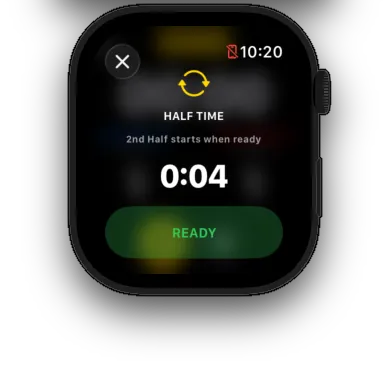
Quarter break: two pulses. Half time: three sharp taps. Final whistle: four sharp taps. Score logged: one confirm. You don't need to look at the watch — your wrist tells you what just happened.
Added time, auto-armed.
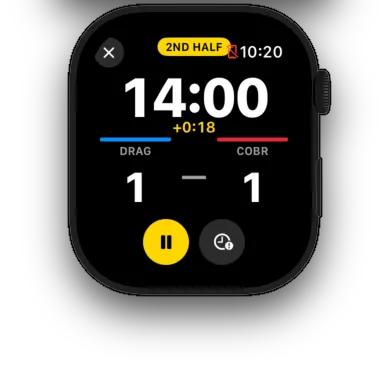
Tap to arm — the chip ticks up in yellow while you track stoppage. When regulation ends, the watch auto-arms a countdown using exactly the time you tracked. Past zero, it keeps counting as advisory — you make the final-whistle call.
The chip that changes shape on its own.
Track stoppage during the run of play with a single tap. When the period clock crosses regulation, the watch decides: did you accumulate stoppage? If yes, it auto-arms a countdown using exactly the time you tracked. The chip flips from accumulator to countdown to overrun on its own — you watch the field.
- Tap to arm — the chip ticks up in yellow while you track stoppage live.
- When regulation ends, the watch auto-arms a countdown using exactly the time you tracked.
- Past zero, the chip keeps counting as advisory — you make the final-whistle call.
- Tap again to disarm if you want to manage stoppage manually.
Set up on iPhone. Hold to send.
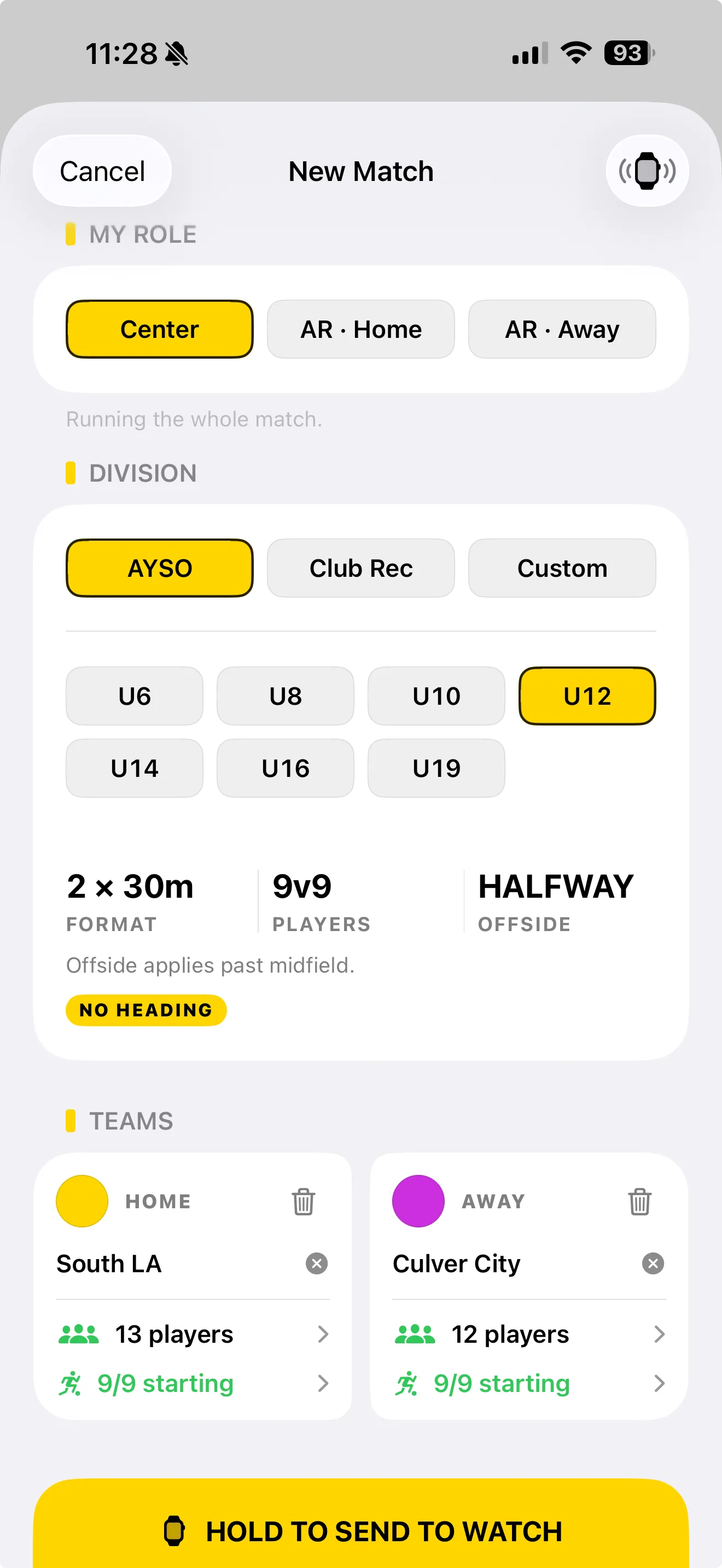
Sit on the sideline, pick a division, drop in rosters, choose your role — Center, AR Home, or AR Away. The watch gets exactly what it needs: division preset, team colors, lineups, format. Hold the yellow bar to send it over WatchConnectivity. No pairing screens, no Wi-Fi required, no cloud round-trip.
- AYSO / Club Soccer / Custom families with division-aware rules.
- Format, players, offside, no-heading flag — auto-resolved from preset.
- Color-led team identity that follows the match to the watch.
- Hold-to-send gesture — no accidental over-the-air pushes mid-prep.
iPhone runs the match too.
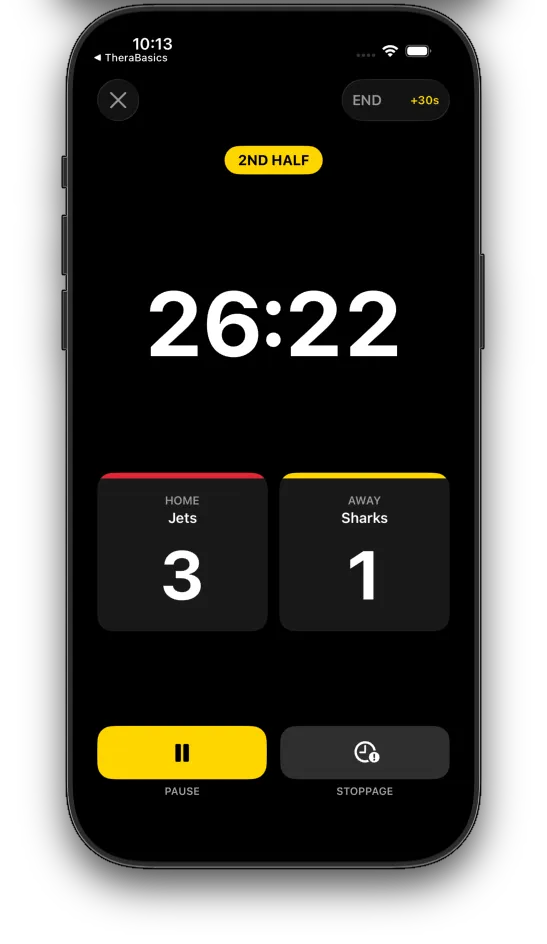
Don't have an Apple Watch? Center Ref ships an iPhone-only mode with the same clock, period structure, and stoppage. Same haptics, same auto-armed added time. Pin it to the corner flag, slip it in your pocket, or hand it to a parent on the touchline.
- Full match clock — 1st / 2nd half, halftime, stoppage with +30s shortcut.
- Color-led HOME / AWAY scoreboard with one-tap goals.
- Same AYSO division presets as the watch.
- If you add a watch later, your matches sync over WatchConnectivity.
iPhone gets the timeline.
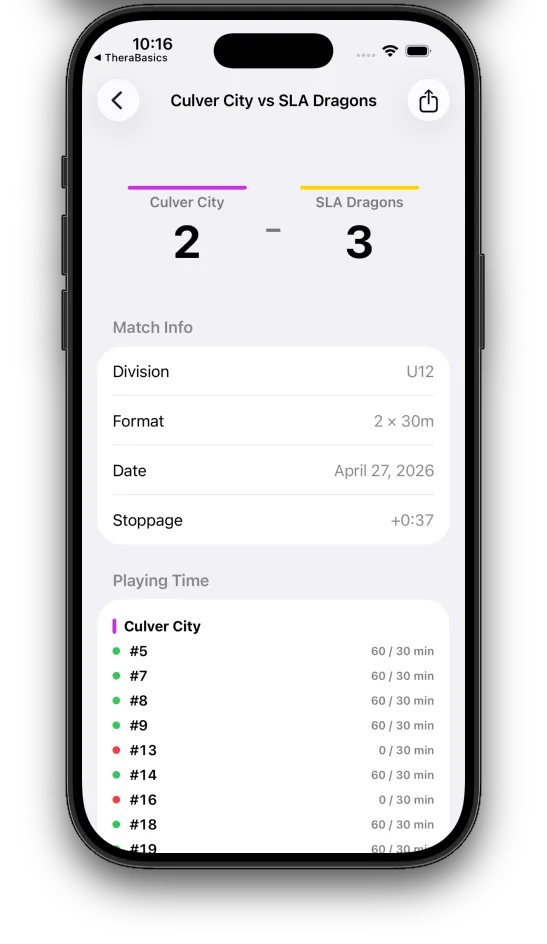
After the final whistle, the watch pushes the full event log back to your phone via WatchConnectivity. Match history with score summary, division, format, stoppage. AYSO matches surface a Playing Time section with per-player on-field minutes — green / yellow / red dots flag who's at risk on the 50% rule.
- Match history list with division chip and result.
- Detail view: match info, stoppage, full event timeline.
- AYSO playing-time compliance: per-player minutes with status dot.
- Share sheet for exporting a match summary (post-launch).
AYSO U6 through U19, by the book.

I started reffing AYSO games because my kid wanted to play. Three matches in I was juggling a stopwatch, a notepad, and a clipboard while trying to watch a U10 build-out line. Center Ref is the watch I wished I had on the field — opinionated about the things refs care about, silent about everything else.— Ian Dunn · Center Ref
Get on the field
with less in your hands.
Center Ref is in TestFlight beta. App Store launch this season — free during beta on watch and iPhone.
Center Ref Pro arrives after launch with season stats, PDF reports, multi-league rule profiles, and HealthKit fitness tracking.
or email hello@centerref.com